Motion Detection Cameras Explore: Features, Detection Zones, Recording Modes and Smart Functions
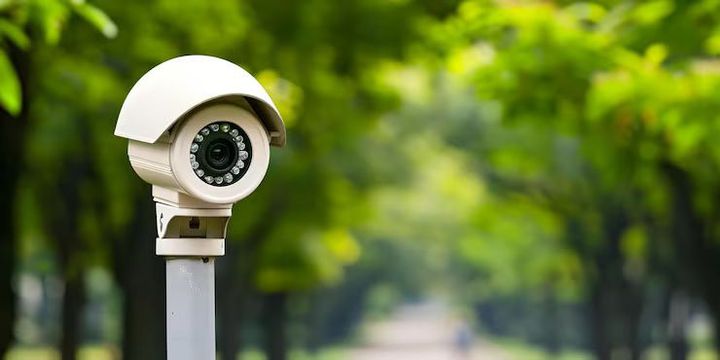
Motion detection cameras are video cameras designed to identify movement within a monitored area and respond by recording, sending an alert, or activating another camera function. They are used in homes, offices, warehouses, entrances, parking areas, and other locations where people want to understand what happens when movement occurs. Modern systems combine motion detection with features such as detection zones, different recording modes, night vision, object recognition, and mobile notifications.
What Are Motion Detection Cameras?
A motion detection camera uses changes within its viewing area to identify possible movement. Depending on the camera design, detection can be based on changes between video frames, infrared activity, heat patterns, or software-based analysis of objects within a scene.
Traditional cameras may record continuously, while motion detection cameras can be configured to react when activity is detected. This can help organize recorded footage because periods without noticeable movement may require less attention during playback.
Motion detection is not limited to one type of camera. It can be included in indoor cameras, outdoor cameras, door cameras, network cameras, and cameras connected to larger video management systems.
How Motion Detection Developed
Early motion detection systems generally relied on relatively simple changes in brightness or pixels between successive video frames. Changes caused by moving people, animals, vehicles, shadows, weather, or lighting could trigger recording.
Modern cameras can combine video analysis with additional information. Some systems distinguish between categories such as people, vehicles, and general movement. Other systems use configurable areas so that activity in one part of a scene triggers an event while movement elsewhere is ignored.
Network standards have also developed alongside camera technology. ONVIF, an industry organization for IP-based physical security equipment, defines profiles that help compatible cameras and software communicate. Profile T, for example, includes advanced video streaming, motion and tampering events, metadata, and related functions.
Importance
Why Motion Detection Matters
A camera may capture a large amount of video during a normal day. If recording occurs continuously, finding a particular event can require reviewing many hours of footage. Motion-based recording can organize footage around periods when activity occurs.
Motion detection can also help reduce unnecessary recordings. For example, a camera facing a quiet entrance may remain in standby until movement is detected within its configured area.
However, motion detection does not mean that every movement will always be identified correctly. Moving tree branches, changing shadows, insects, headlights, reflections, and sudden changes in lighting can sometimes create unwanted events.
Everyday Applications
Motion detection cameras are used in many environments, including:
- Home entrances and corridors
- Driveways and parking areas
- Offices and shared buildings
- Warehouses and storage areas
- Retail premises
- Construction locations
- Industrial facilities
- Public and institutional buildings
The appropriate configuration depends on the environment. An outdoor camera facing a busy road may need different detection settings from an indoor camera monitoring a hallway.
Common Camera Features
The features available vary between camera models and software platforms. Common functions include motion detection, adjustable detection zones, continuous recording, event-based recording, scheduled recording, night vision, two-way audio, digital zoom, image notifications, and local or network storage.
Some cameras also include object classification. Instead of treating every detected change as identical, the system may analyze whether the moving object appears to be a person, vehicle, or another type of object.
Recent Updates
More Detailed Motion Analysis
From 2024 through 2026, camera technology has continued moving from simple motion detection toward more detailed video analysis. Modern systems increasingly use software-based object detection, configurable activity areas, event filtering, and metadata to describe what appears in a scene.
ONVIF Profile M is designed around metadata and events for analytics applications. It can support information such as object classification, video searches, people counting, and other analytical functions when compatible equipment and software are used.
This trend means that a motion event can contain more information than simply indicating that something moved. Depending on the system, an event may include the approximate location of the activity, object category, or time of detection.
Changes in Network Camera Standards
Cybersecurity has become an increasingly important part of network camera design. ONVIF announced that support for Profile S is being phased out, with March 31, 2027 identified as the end date for new Profile S conformance submissions. ONVIF recommends Profile T and more secure authentication approaches as part of the transition.
Profile T includes functions such as H.264 and H.265 video compression, motion alarms, tampering events, metadata streaming, HTTPS streaming, and bidirectional audio where supported by conformant equipment.
Greater Attention to Video Security
As cameras become connected to networks and mobile applications, protecting camera accounts and recorded footage has become an important consideration. Current systems may include encrypted connections, stronger authentication, role-based access, firmware updates, and other security controls.
These developments do not remove the need for careful configuration. A camera can still create privacy or security concerns if accounts, network settings, storage access, or recording permissions are poorly managed.
Detection Zones and Recording Modes
Understanding Detection Zones
A detection zone is a defined portion of the camera's field of view where motion analysis is applied. Rather than monitoring every visible area equally, users can sometimes select specific sections of the image.
For example, a camera facing a driveway may use one zone around the driveway while excluding a nearby road. A camera inside an office may focus on a doorway while ignoring a window where changing outdoor light could create repeated events.
Detection zones can usually be adjusted through the camera's application, browser interface, or recording software, depending on the system.
Common Recording Modes
Motion detection cameras can use several recording approaches:
- Continuous recording: Video is captured throughout the configured recording period.
- Motion-triggered recording: Recording begins or an event is marked when movement is detected.
- Scheduled recording: Recording follows selected days or time periods.
- Event-based recording: Specific events, such as motion or tampering, create a recording or alert.
- Pre-event recording: Some systems retain a short period of video from before an event, when supported by their hardware and storage setup.
The recording mode affects how footage is stored and reviewed. A system using continuous recording may contain a larger amount of footage, while event-based recording may organize attention around detected activity.
Motion Detection and Recording Comparison
| Recording Mode | Main Trigger | Typical Use | Main Consideration |
|---|---|---|---|
| Continuous | Time schedule | Areas needing ongoing coverage | Larger volume of footage |
| Motion-triggered | Detected movement | Entrances and quiet areas | False events can occur |
| Scheduled | Set time | Specific operating periods | Activity outside the schedule may not be recorded |
| Event-based | Defined event | Focused monitoring | Depends on accurate event detection |
| Pre-event | Event plus earlier footage | Understanding what happened before an event | Requires suitable system support |
Smart Functions
Person and Vehicle Detection
Some cameras use software analysis to classify detected objects. Person and vehicle detection can help distinguish certain movements from general changes in the image.
This classification is not necessarily perfect. Camera angle, lighting, distance, weather, obstructions, and image quality can affect the results.
Night Vision
Night vision allows compatible cameras to capture scenes when visible light is limited. Infrared illumination is commonly used, although the appearance of the resulting footage can differ from daytime video.
Nighttime motion detection can behave differently from daytime detection because shadows, reflections, insects, headlights, and infrared illumination can influence the camera's analysis.
Notifications and Alerts
Connected cameras may send notifications when a defined event occurs. Depending on the system, an alert may include a snapshot, short video clip, object category, or event description.
Notification settings can usually be adjusted to control which events generate alerts. This can help reduce repeated notifications from routine activity.
Tampering Detection
Some systems can identify events such as changes in camera position, obstruction of the lens, or interruption of a connection. Tampering detection is separate from ordinary motion detection because it focuses on changes affecting the camera or its operation.
Laws or Policies
Privacy and Data Protection in India
For readers in India, camera use can involve privacy and personal-data considerations. The Digital Personal Data Protection Act, 2023 establishes a framework for processing digital personal data and includes provisions concerning notice, consent, certain legitimate uses, data security obligations, and individual rights.
The Ministry of Electronics and Information Technology published the Digital Personal Data Protection Rules, 2025 along with an enforcement timeline and related materials. The framework is being brought into effect according to the government-notified timeline, so organizations using cameras should consider the provisions that apply to their particular activities.
Camera use can also involve other legal requirements depending on the location and circumstances. Private premises, workplaces, residential buildings, public areas, and institutions may have different obligations or local rules. Recording audio can introduce additional privacy considerations because conversations may contain personal information.
Cybersecurity Considerations
Network-connected cameras should also be treated as connected computing devices. India's Computer Emergency Response Team, or CERT-In, publishes cybersecurity directions and technical guidance under the Information Technology Act framework. Its published materials include guidance concerning information-security practices and incident response.
For camera systems, practical security considerations include using strong account credentials, applying available firmware updates, limiting account permissions, protecting the network, and reviewing who can access recorded footage.
Tools and Resources
Camera Configuration Tools
Camera manufacturers commonly provide configuration applications, web interfaces, or desktop software for adjusting motion sensitivity, detection zones, recording schedules, notification rules, and storage settings.
Network video systems may also use video management software to combine multiple cameras into one interface. Compatibility depends on the camera, software, network protocol, and supported standards.
ONVIF Resources
ONVIF provides profiles that help users understand interoperability between compatible IP cameras and clients. Its Profile T documentation covers advanced video streaming and event functions, while Profile M focuses on metadata and analytics-related events.
The ONVIF Conformant Products database can also be used to check whether a particular product has officially declared conformance to an ONVIF profile.
Planning Templates
A simple camera-planning table can help document the system:
| Planning Item | Information to Record |
|---|---|
| Camera location | Entrance, hallway, parking area, etc. |
| Detection zone | Area where motion should be analyzed |
| Recording mode | Continuous, scheduled, or event-based |
| Storage method | Local, network, or other supported storage |
| Notification type | Motion, person, vehicle, tampering |
| Access permissions | Accounts allowed to view footage |
| Retention period | Planned duration for keeping recordings |
FAQs
What are motion detection cameras?
Motion detection cameras are cameras that identify movement within a defined scene and can trigger recording, alerts, or other configured actions. Their detection method varies by camera and software.
How do detection zones work in motion detection cameras?
Detection zones allow specific parts of the camera's view to be included or excluded from motion analysis. This can help focus detection on areas such as entrances, paths, or driveways.
What recording modes are available on motion detection cameras?
Common recording modes include continuous recording, motion-triggered recording, scheduled recording, event-based recording, and pre-event recording when supported by the system.
What smart functions can motion detection cameras have?
Smart functions may include person detection, vehicle detection, object classification, night vision, tampering detection, event notifications, metadata, and activity-zone analysis. Availability varies by camera and software.
Are motion detection cameras affected by privacy rules in India?
Camera recordings can involve personal data and privacy considerations. India's Digital Personal Data Protection framework provides rules for processing digital personal data, while other laws and local requirements may also apply depending on how and where cameras are used.
Conclusion
Motion detection cameras combine video recording with movement analysis to identify activity within selected areas. Detection zones, recording modes, night vision, object classification, and notification functions can change how a camera responds to different events. Recent developments have placed greater emphasis on video analytics, interoperability, and cybersecurity. In India, camera operators also need to consider applicable privacy, data-protection, and cybersecurity requirements.